Certificates, rosters, invoices and payments in one place — so nothing slips, and nobody chases a spreadsheet at tax time.
Cancel anytime. 30-day money-back guarantee.
Three things go wrong in every charter vendor business, and all three are avoidable.
Certificates. Venmo payments. Roster changes. It's just too much!
Payments. Certificates. Invoicing. Expenses. And MORE!
Copy every certificate number, description, amount, and more? It takes forever!
Repetitive tasks automated.
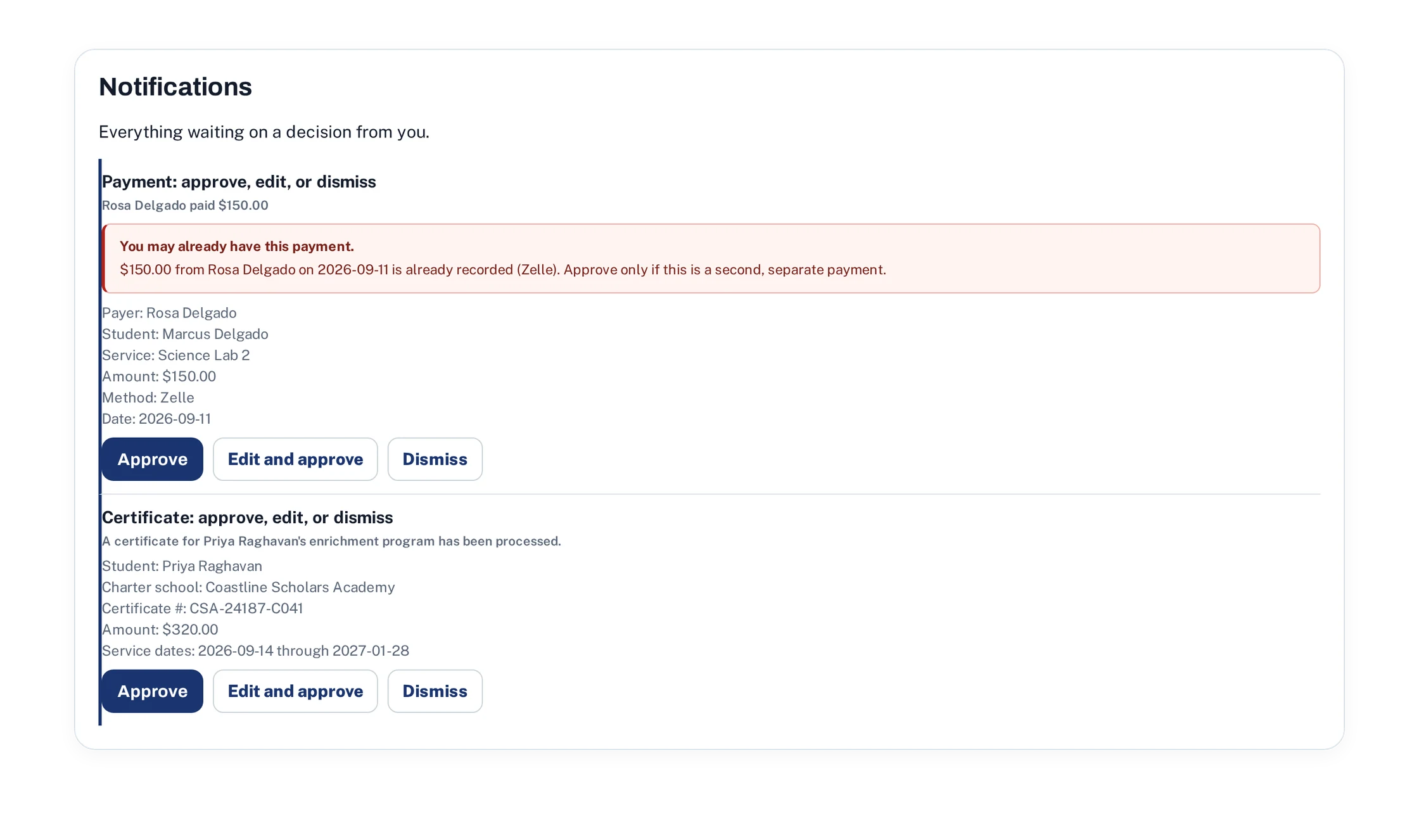
Just forward all important emails to VendorFlow, it extracts important details and takes care of the rest.
Read automatically, matched to the right student, queued for one click approval.
Upload a CSV or build groups by hand, with the payment plans, due dates and late fees. You control everything. VendorFlow does the work.
Sent on your schedule, in your words, and only once you preview and hit send.
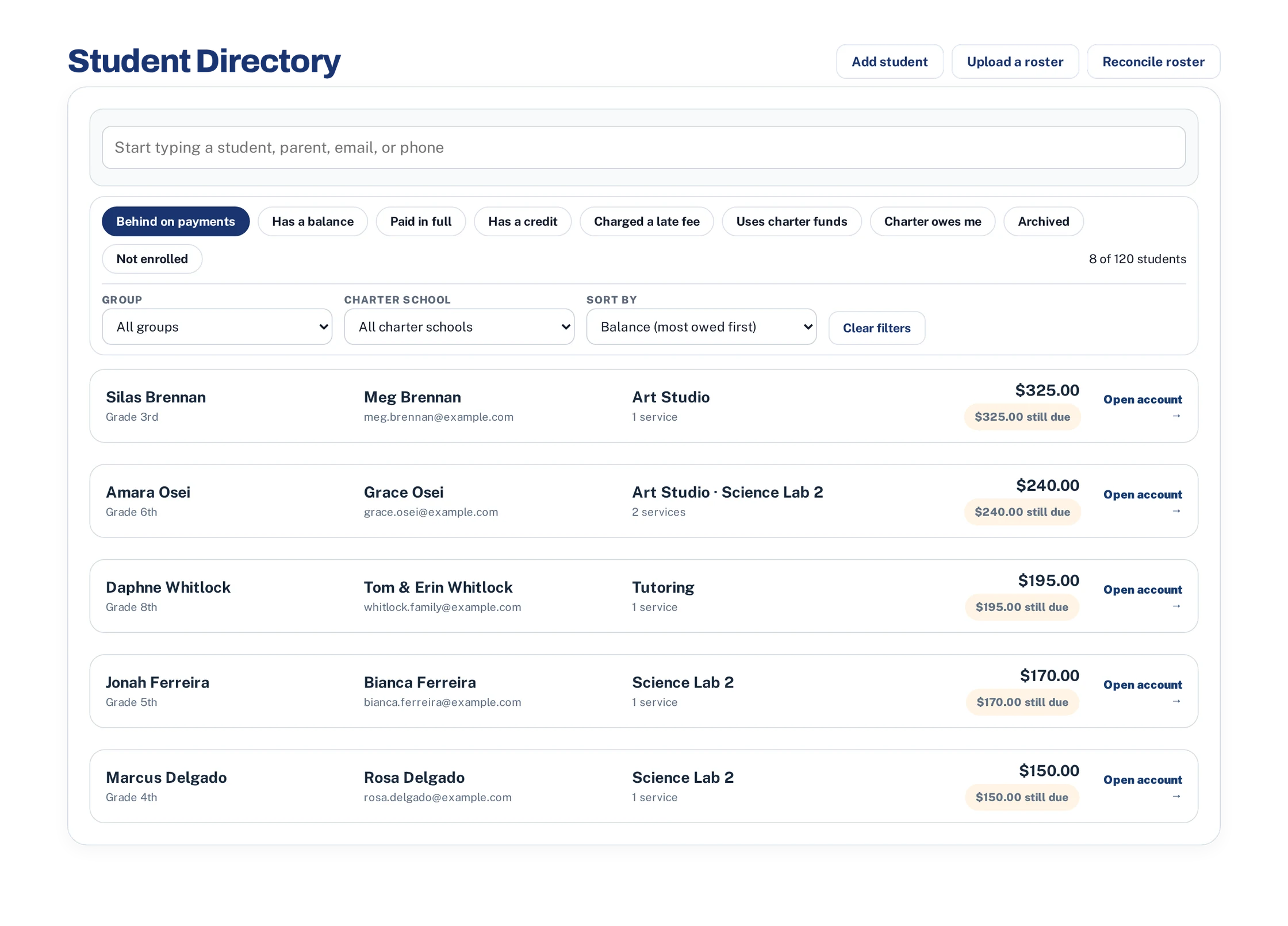
VendorFlow credits each family's charter certificates first, then counts them as behind once a scheduled payment has come and gone. Press one chip and you have your call list, largest balance at the top.
VendorFlow keeps a close eye out for duplicates. You never have to worry about putting in a payment, certificate, or charge twice. VendorFlow will bring it to your attention.
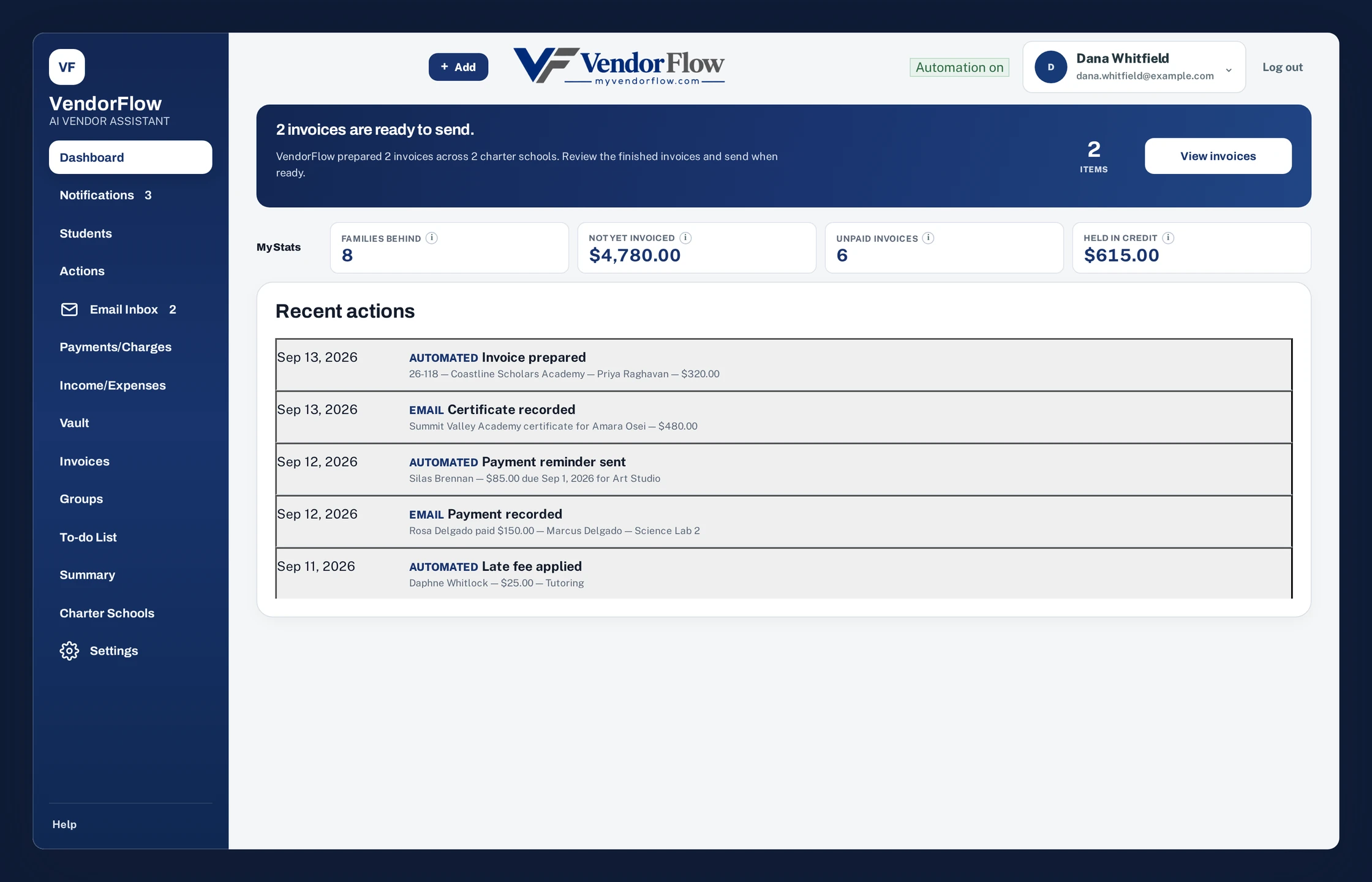
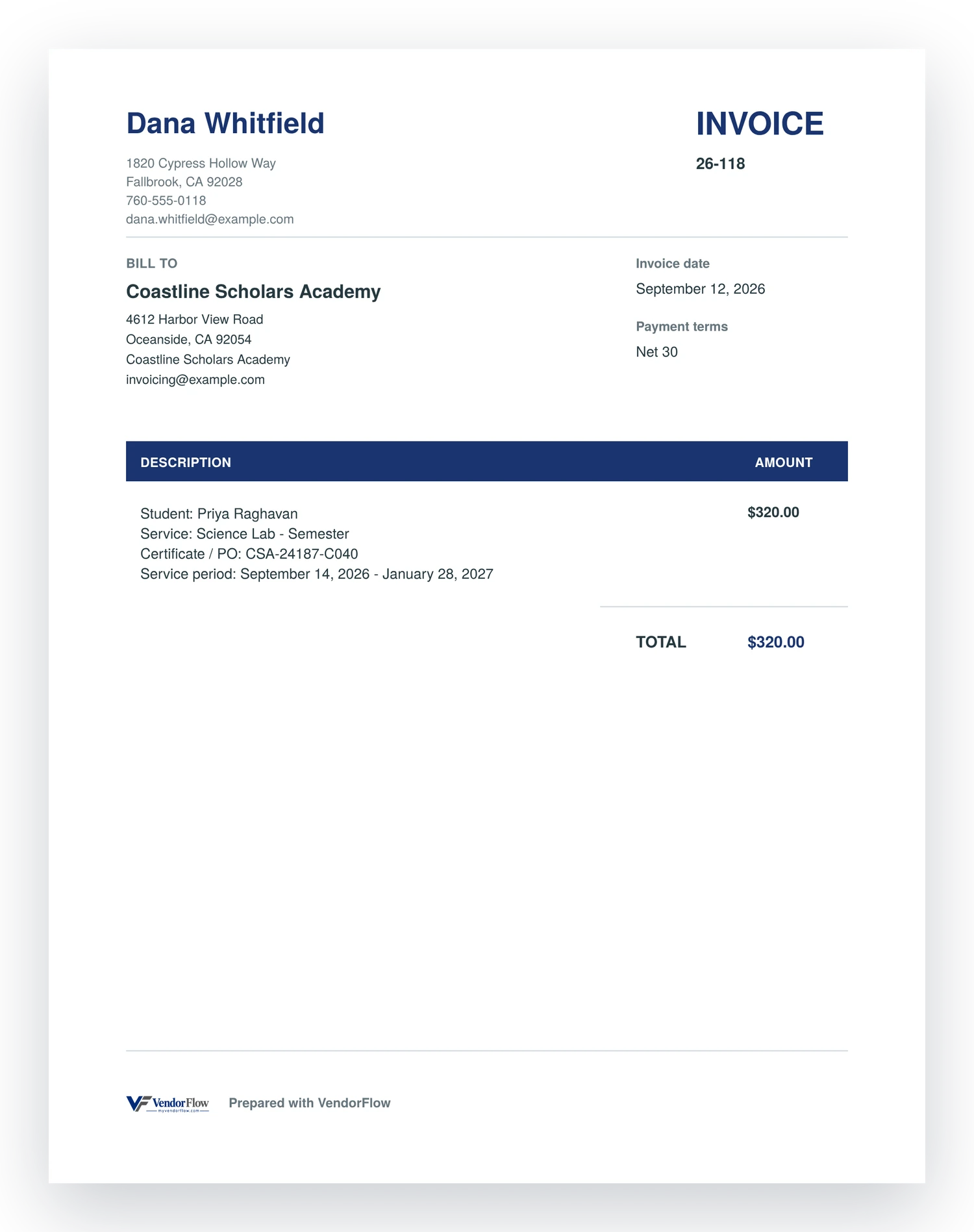
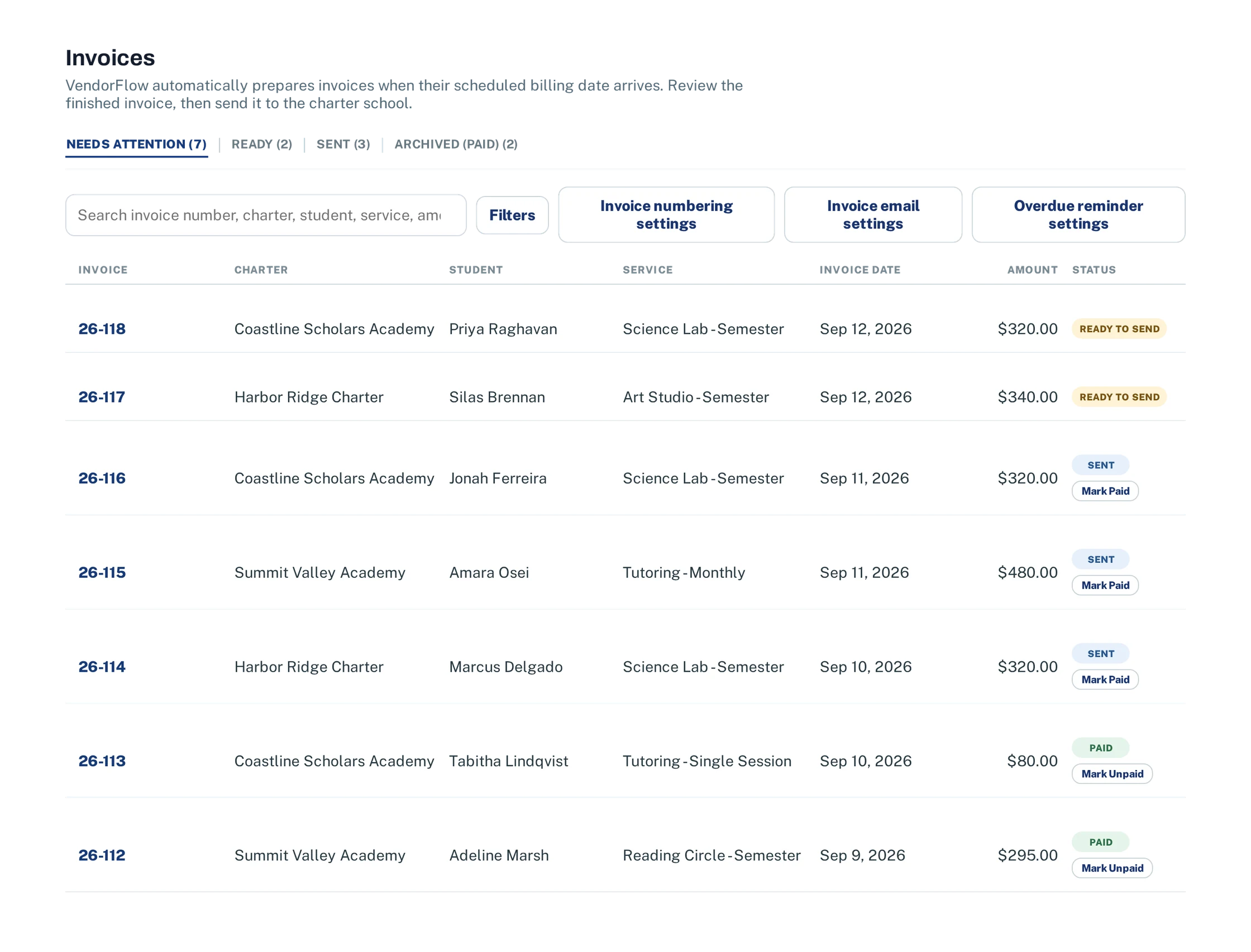
VendorFlow generates invoices automatically on your custom schedule. VendorFlow then attaches it to a charter-ready email for you to approve and send.
Your business details, the school's billing address, the student, the certificate number and the service period — pulled from what VendorFlow already has. It arrives ready to send.
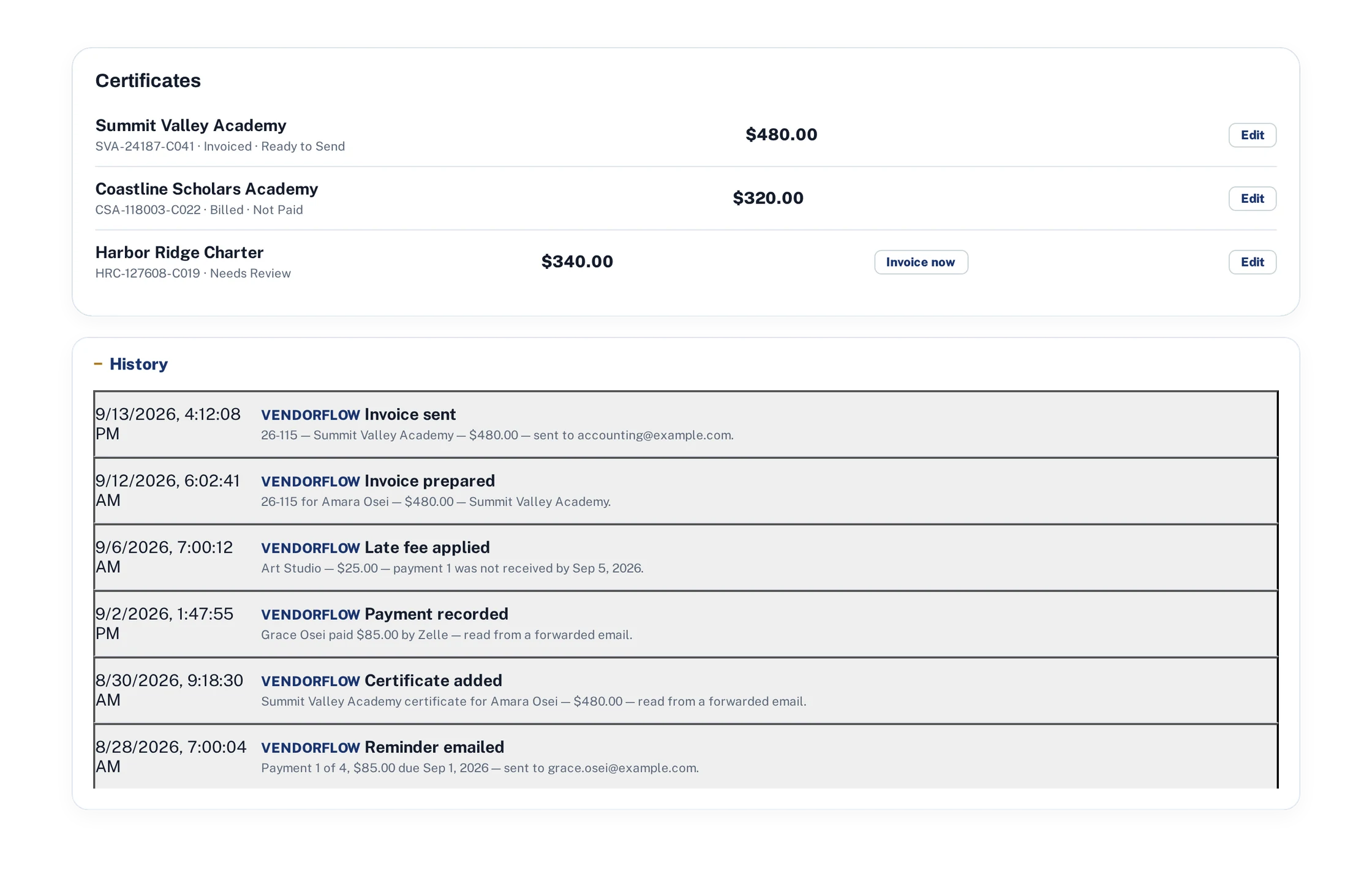
Every invoice you have raised, the school it went to, and where it stands right now: ready to send, sent, or paid. One screen tells you how much is still out with the charters.
Charges, payments, charter certificates, late fees and every email VendorFlow sent on their behalf — kept for as long as the family is with you.
The balance at the top, then every line that produced it: what they were charged, what the charter covered, what the parent paid, and a late fee if one was applied. Each line says where it came from — a roster import, a forwarded email, or you.
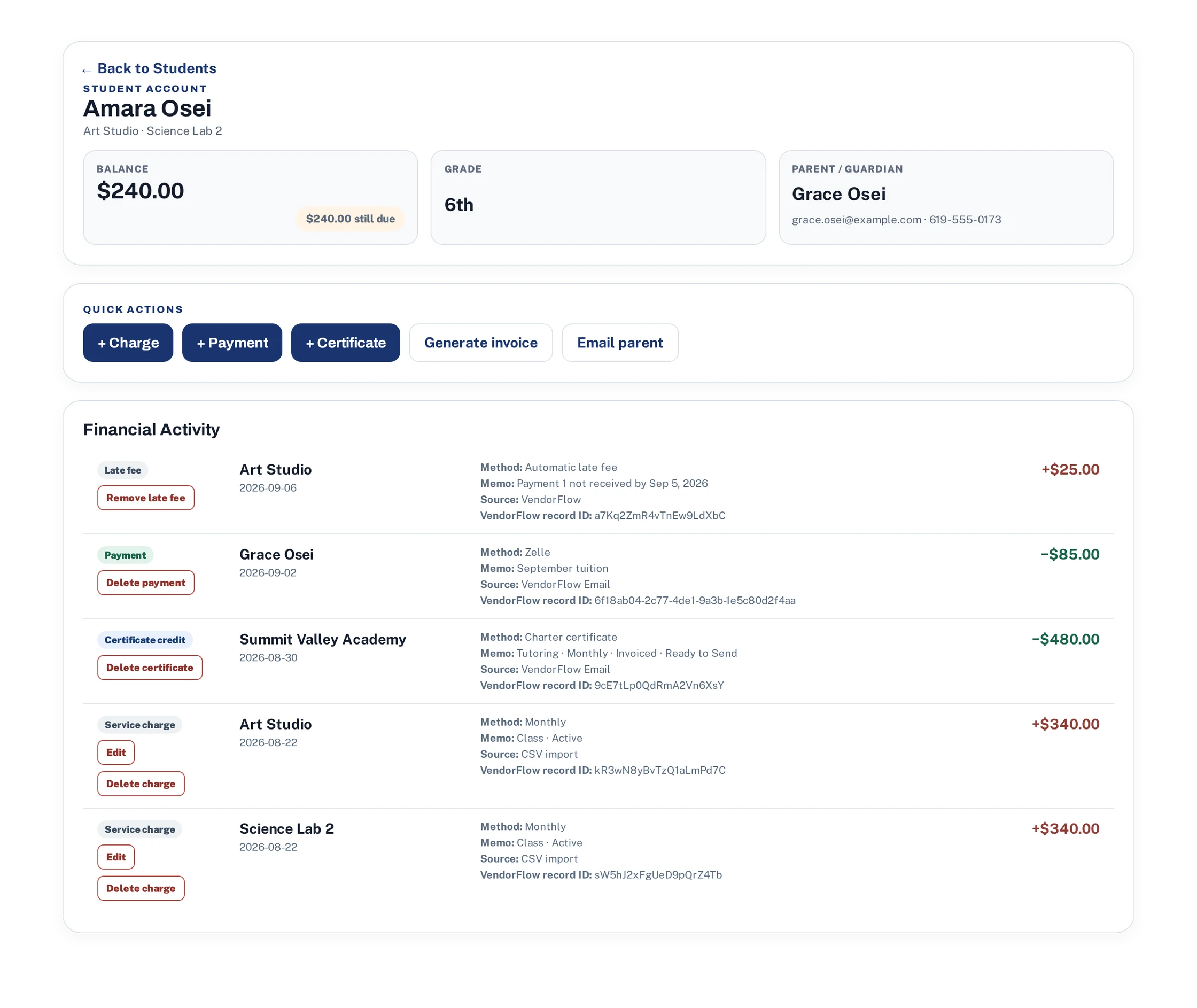
The reminder that went out, the certificate read from an email, the invoice prepared and then sent, the late fee applied. When a parent asks what they were charged for or whether they were told, the answer is already on the screen.
Work through the simple setup checklist to get your VendorFlow AI assistant up to speed.
A few questions about your business and the charter schools you work with. About five minutes.
Upload rosters, certificates and payment history — or just start forwarding the emails you already get.
Reminders, invoices and notifications happen on schedule, and tax time is already organized.
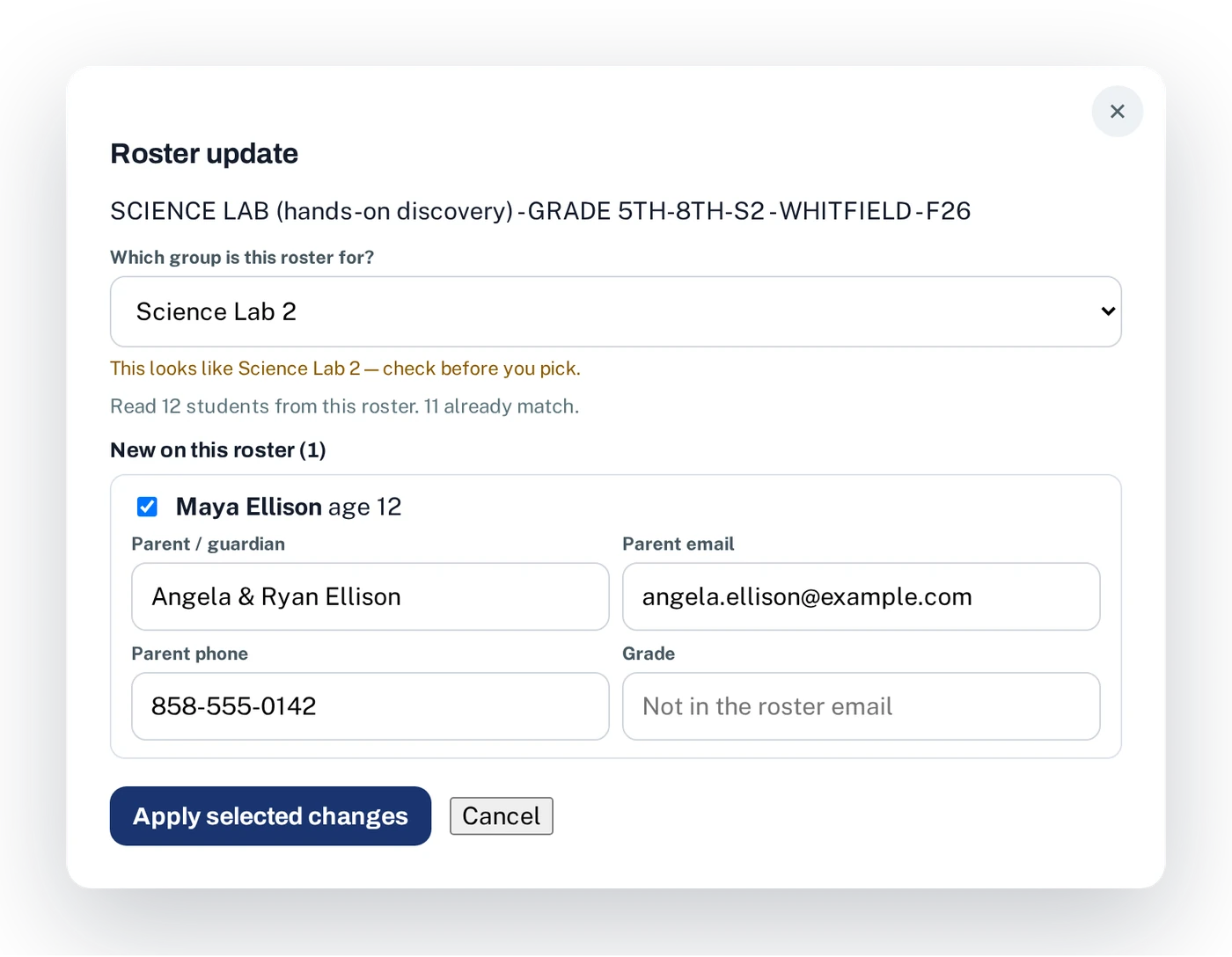
Forward the roster your school sends. VendorFlow compares it against the group, finds the one student who changed, fills in the parent, email and phone, and waits for your approval before anyone joins.
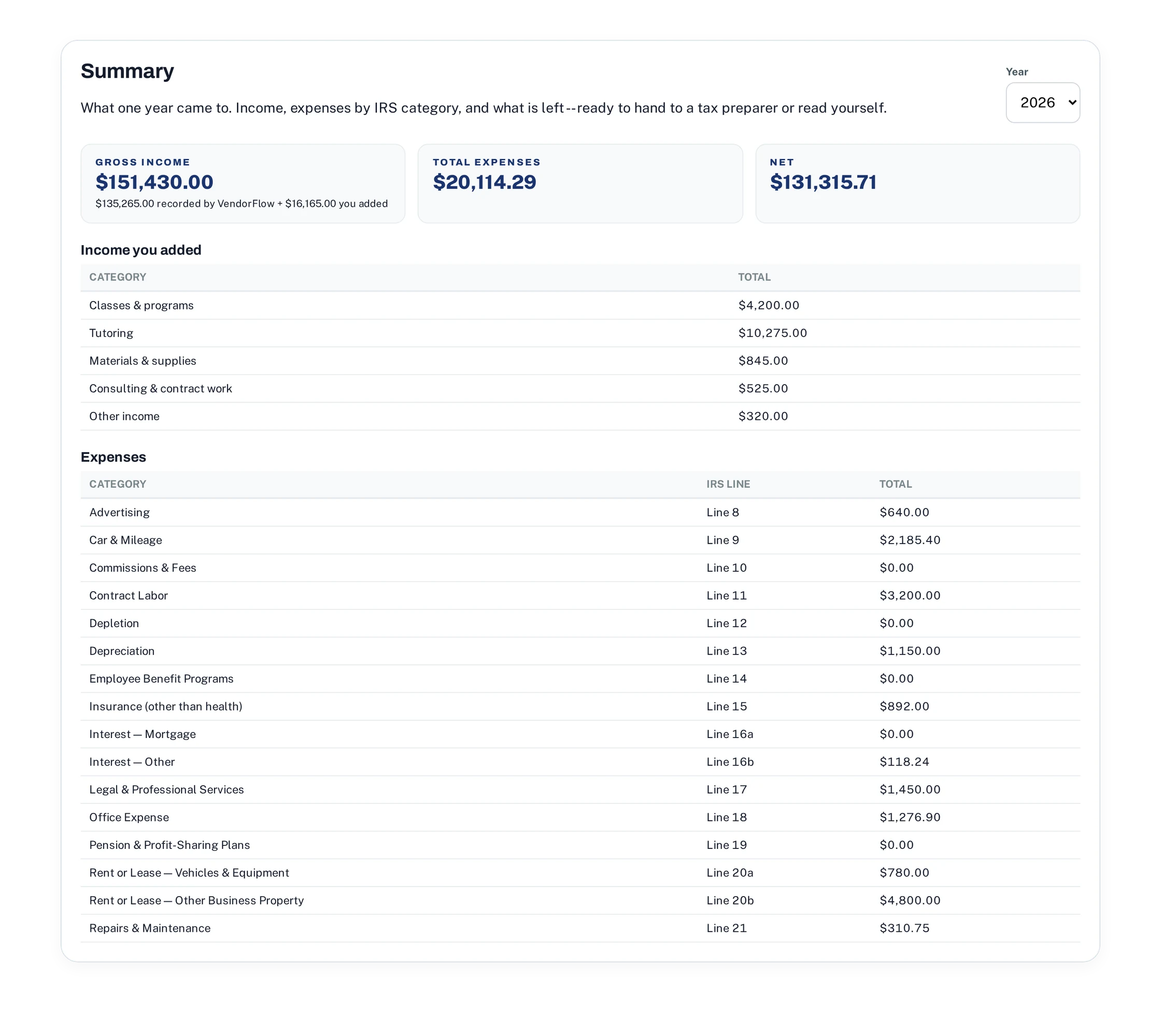
Every dollar in and out, sorted into the categories your Schedule C uses and totaled as the year goes. In April you print it.
No tiers to compare, no add-ons, no per-student pricing.
Free for 7 days. Cancel before it ends and you are not charged.